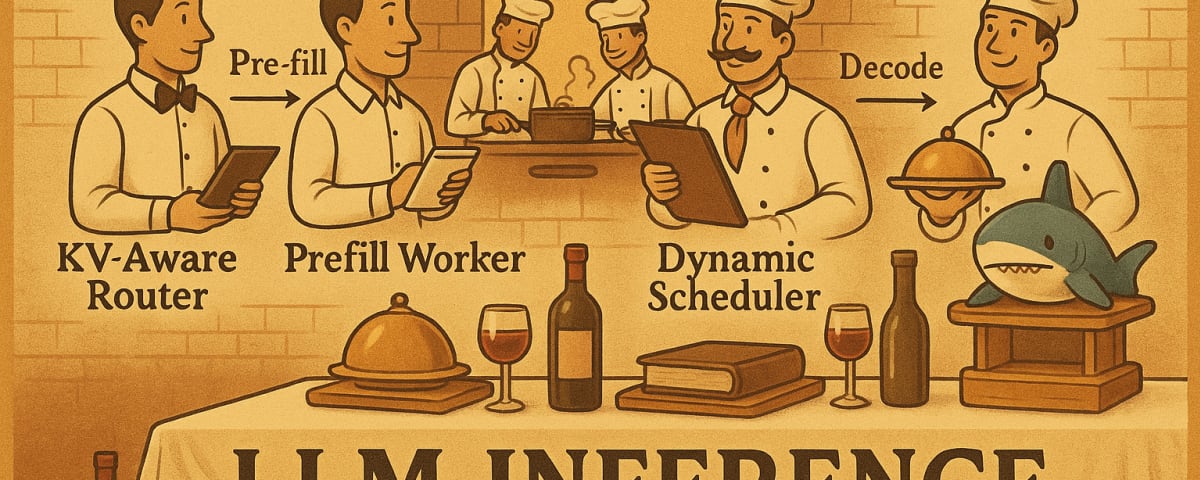
Deploy NVIDIA Dynamo for High-Performance LLM Inference on DigitalOcean GPU Droplets
This tutorial will guide you through deploying NVIDIA Dynamo on DigitalOcean GPU Droplets to solve high-performance LLM inference challenges and validate its performance. Even if you don't have a deep AI or cloud background, you can easily get started. This tutorial is perfect for developers and teams who want to quickly experience distributed LLM inference.
⏱️ Estimated Deployment Time: 70-90 minutes
📋 Tutorial Scope: This tutorial focuses on single-node deployment. NVIDIA Dynamo also supports multi-node configurations and Kubernetes deployment options, which will be covered in separate advanced tutorials.
Overview
NVIDIA Dynamo is a high-performance, low-latency inference service framework designed for large-scale generative AI and inference models. On DigitalOcean, you can deploy Dynamo through GPU Droplets to achieve:
-
Distributed LLM Inference Services
Utilize disaggregated service architecture to allocate prefill and decode stages to different GPUs, maximizing resource utilization. -
Intelligent Resource Scheduling
Improve throughput and reduce latency through KV Cache intelligent routing and dynamic GPU scheduling. -
High-Performance Validation
Use practical examples and testing tools to observe performance differences in parallel inference.
What is vLLM and Why Do We Need Dynamo?
vLLM is a fast and easy-to-use library for LLM inference and serving, originally developed at UC Berkeley's Sky Computing Lab. vLLM excels at:
- PagedAttention: Efficient management of attention key and value memory
- Continuous Batching: Dynamic batching of incoming requests for higher throughput
- Optimized CUDA Kernels: Integration with FlashAttention and FlashInfer for fast model execution
- OpenAI-Compatible API: Seamless integration with existing applications
However, vLLM alone has limitations in distributed scenarios and intelligent request routing, which is where NVIDIA Dynamo provides orchestration and scaling capabilities.
Understanding KV Cache: The Foundation of Efficient LLM Inference
KV Cache (Key-Value Cache) is a crucial optimization that stores computed key-value pairs from previous tokens, avoiding redundant calculations during text generation.
Key Benefits:
- Dramatic Speedup: Reduces computation from O(n²) to O(n) complexity
- Memory-Compute Trade-off: Uses GPU memory to cache values, saving computation cycles
- Better Scalability: Maintains performance as sequence length grows
Real-World Impact:
- Benchmark Results: 5.2x faster inference (61s → 11.7s) for longer sequences
- Production Use: Essential for chatbots, code generation, and long-form content creation
- Cost Efficiency: Reduces GPU usage and operational costs significantly
For technical details, see the official KV caching guide.
What is NVIDIA Dynamo? Understanding LLM Inference Frameworks with a Michelin Restaurant Analogy
Imagine walking into a Michelin-starred restaurant. It's not just about having top-tier chefs (like vLLM, a high-performance inference engine), but also having a complete professional service system, ordering system, customized menu design, and even the ability to coordinate the optimal serving sequence and experience based on each customer's taste preferences, allergies, and dining timing.
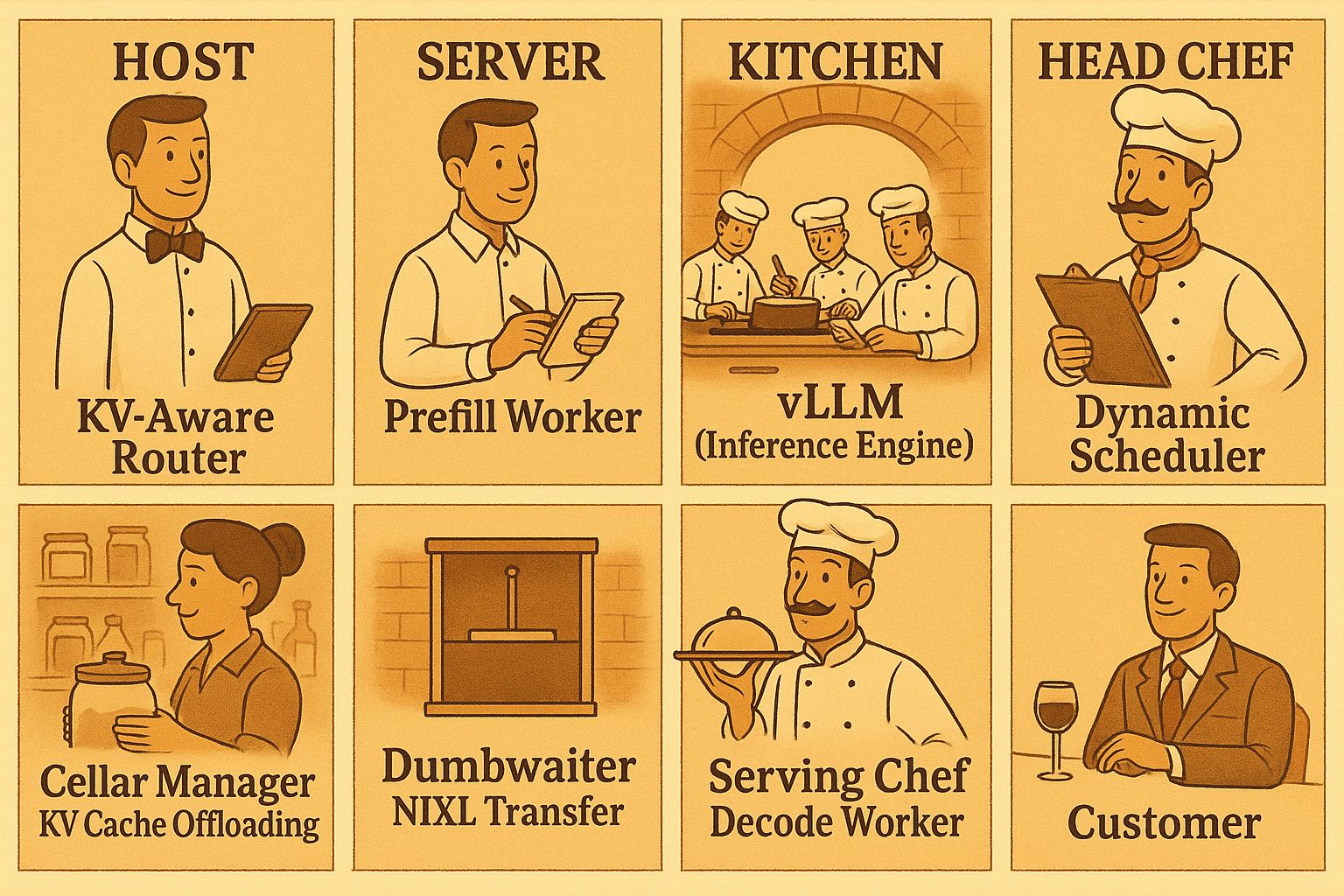
- vLLM is like the top-tier kitchen engine in the restaurant, capable of quickly and efficiently preparing various dishes, ensuring each dish is delicious.
- NVIDIA Dynamo is like the entire Michelin restaurant's operational system. It not only includes kitchens like vLLM, but also front-desk ordering, customer preference management, dish routing, and serving coordination functions. Dynamo can arrange the most suitable chef based on each customer's needs, adjust menu details, and ensure multiple dishes can be served simultaneously and on time.
In the world of LLM inference, what does this mean?
- Pre-fill (context understanding) is like the restaurant preparing suitable ingredients and seasonings based on customers' past dining records and taste preferences.
- Decode (generating responses) is like the head chef cooking dishes exclusively for you based on this information.
- Dynamo coordinates the entire process, allowing each GPU (chef) to perform at maximum efficiency and automatically allocate resources based on different requests, ensuring each customer can enjoy their meal at the optimal time.
Summary:
Dynamo is not meant to replace vLLM, but to incorporate efficient kitchens like vLLM into a smarter, more flexible operational system. This allows AI services to simultaneously handle more users, support larger models, and provide higher quality experiences.
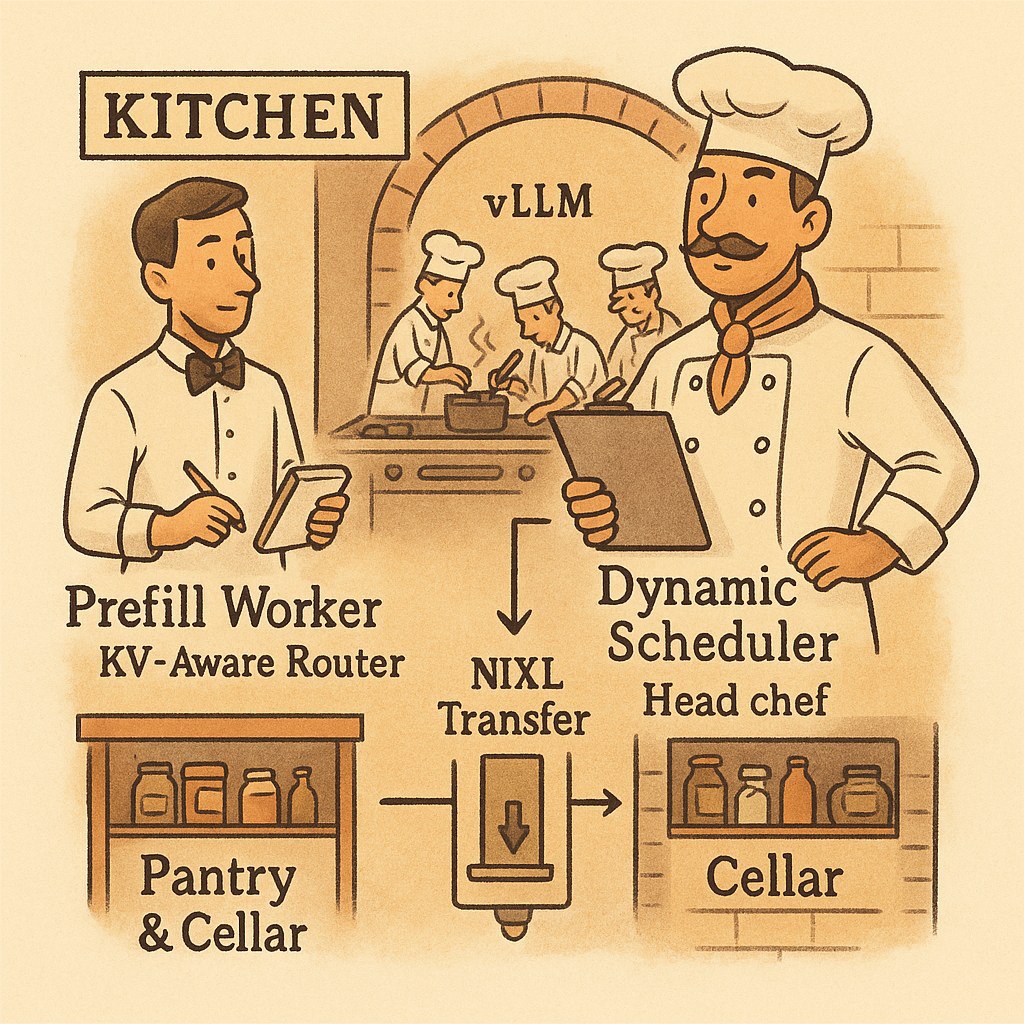
Positioning and Comparison of Dynamo with Other Inference Frameworks
NVIDIA Dynamo is the successor to Triton for LLM workloads, bringing several innovations:
- Disaggregated Serving: Allocates prefill (context) and decode (generation) stages to different GPUs, maximizing resource utilization and throughput.
- KV Cache Intelligent Routing: Intelligent router directs requests to workers with the highest KV cache hit rates, reducing recomputation.
- Dynamic GPU Scheduling: Real-time resource allocation, avoiding bottlenecks and idle time.
- Distributed KV Cache Management: Supports multi-tier memory (GPU, CPU, NVMe, remote), capable of serving large models beyond single-card capacity.
- NIXL Communication Library: Accelerates data transfer between heterogeneous hardware.
Tutorial Steps
Step 1: Choose Droplet Specifications and Initialize Environment
🤔 Why This Step Matters
Foundation for Success: Choosing the right GPU specifications is critical for NVIDIA Dynamo's performance. Unlike traditional CPU-based applications, LLM inference requires:
- GPU Memory Requirements: Modern LLMs like DeepSeek-R1-Distill-Llama-8B require 8-16GB GPU memory for efficient inference
- Compute Capability: NVIDIA L40s, RTX 6000 Ada, and RTX 4000 Ada provide the CUDA cores needed for parallel matrix operations
- Memory Bandwidth: High-bandwidth memory ensures fast data transfer between GPU cores and memory
- AI/ML Ready Images: Pre-configured with NVIDIA drivers, CUDA toolkit, and essential libraries, saving 30-45 minutes of setup time
Cost Optimization: Selecting appropriate specifications prevents over-provisioning (wasting money) or under-provisioning (poor performance). The recommended 32GB+ system RAM ensures smooth container operations and model loading.
Scalability Foundation: Starting with the right base configuration makes future scaling decisions easier and more predictable.
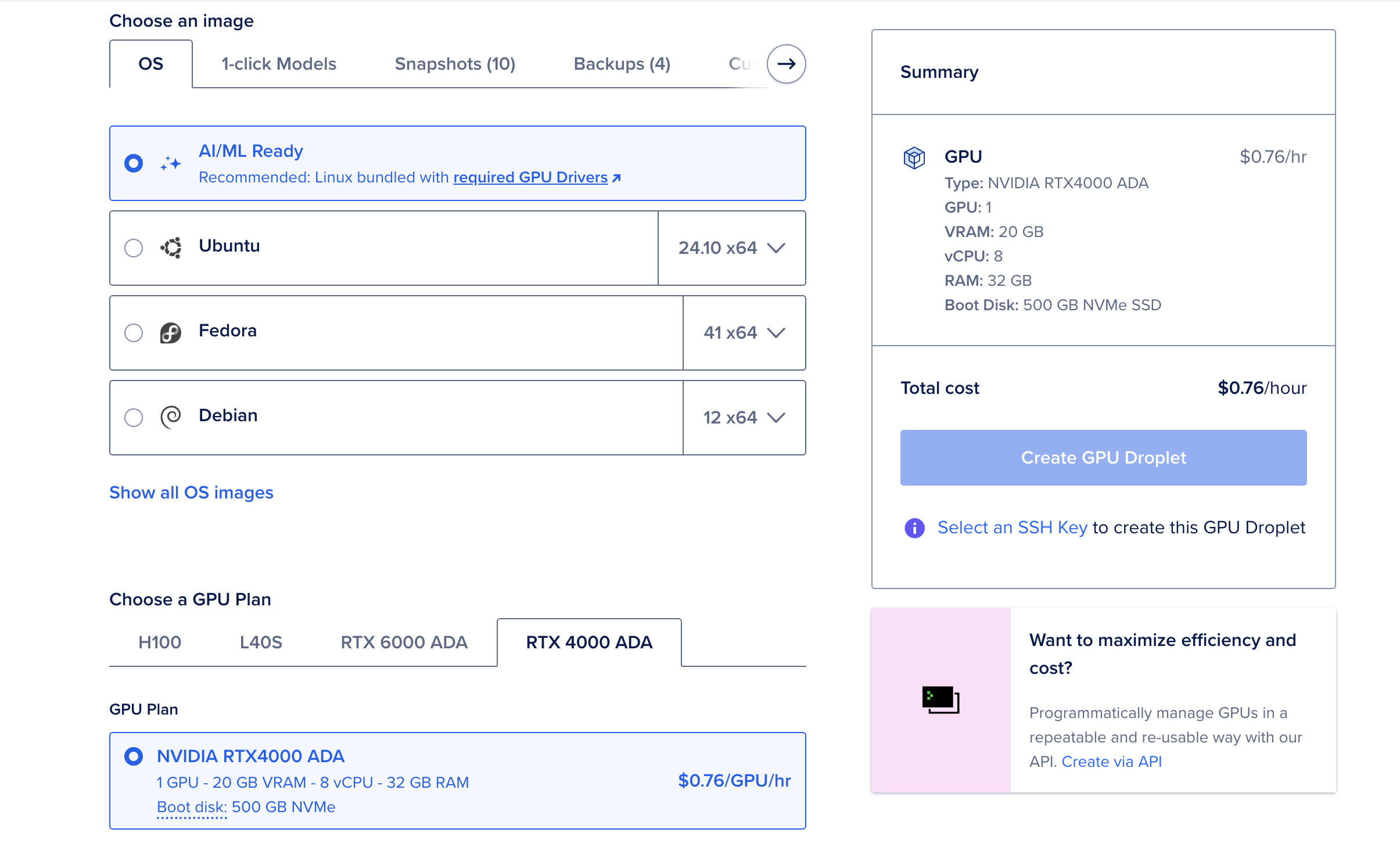
- Recommend choosing AI/ML Ready Image
- GPU models: L40s, RTX 6000 Ada, RTX 4000 Ada
- Memory recommended 32GB or more
Step 2: Environment Setup and Prerequisites
🤔 Why This Step Matters
Complete Infrastructure Foundation: This step establishes the entire software stack required for NVIDIA Dynamo deployment:
- System Updates: Ensures security patches and compatibility with latest NVIDIA drivers
- Essential Packages:
python3-dev,libucx0, and other dependencies are required for Dynamo's Rust and Python components - Docker with GPU Support: Critical for containerized deployment - without proper GPU passthrough, containers cannot access NVIDIA hardware
- NVIDIA Container Toolkit: Bridges Docker and NVIDIA drivers, enabling
--gpusflag functionality - System Reboot: Ensures kernel modules and driver changes take effect properly
Why Reboot is Essential: The NVIDIA Container Toolkit modifies system-level configurations. Without reboot, you may encounter "device driver not found" errors or GPU access failures in containers.
DigitalOcean CLI Integration: doctl enables seamless integration with DigitalOcean Container Registry (DOCR), essential for storing and deploying custom Dynamo images in production environments.
Time Investment: This 15-20 minute setup prevents hours of troubleshooting later and ensures a stable foundation for all subsequent steps.
System Update and Essential Packages
sudo apt-get update && sudo apt-get upgrade -y
sudo apt-get install -y python3-dev python3-pip python3-venv libucx0 git ca-certificates curl snapd jq
bash
Install Docker with GPU Support
# Install Docker
curl -fsSL https://get.docker.com | sh
sudo usermod -aG docker $USER

# Install NVIDIA Container Toolkit
distribution=$(. /etc/os-release;echo $ID$VERSION_ID)
curl -s -L https://nvidia.github.io/libnvidia-container/gpgkey | sudo apt-key add -
curl -s -L https://nvidia.github.io/libnvidia-container/$distribution/libnvidia-container.list | sudo tee /etc/apt/sources.list.d/nvidia-container-toolkit.list
sudo apt-get update && sudo apt-get install -y nvidia-docker2
sudo systemctl restart docker

# Reboot system to ensure all changes take effect
sudo reboot
bash
⚠️ Important: After reboot, reconnect to your Droplet and verify GPU access:
# Test GPU access in containers
docker run --rm --gpus all nvidia/cuda:12.3.0-base-ubuntu22.04 nvidia-smi
bash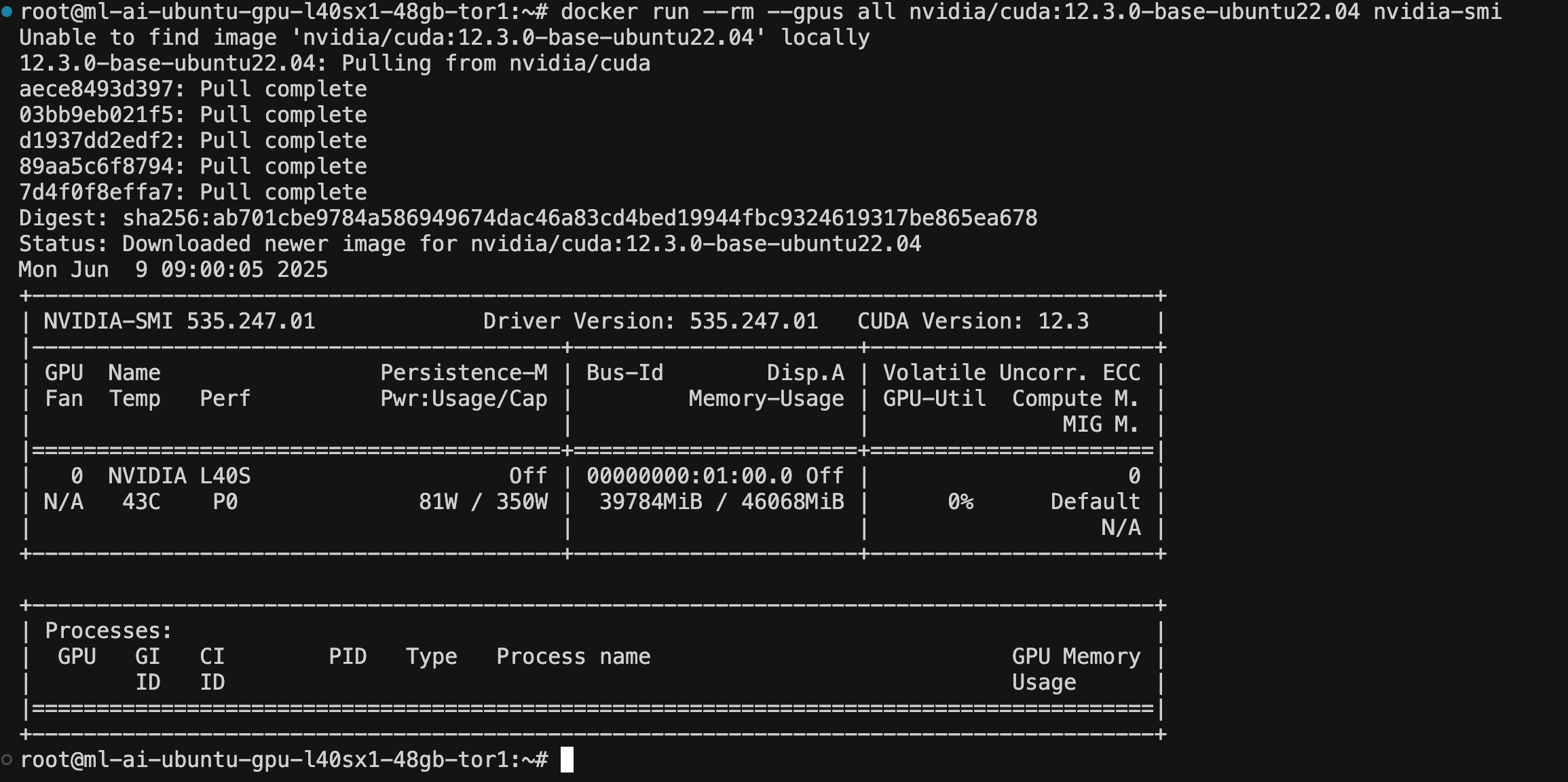
Install Docker Compose and DigitalOcean CLI
# Install Docker Compose
sudo apt-get install docker-ce docker-ce-cli containerd.io docker-buildx-plugin docker-compose-plugin -y

# Install doctl for DOCR access
sudo snap install doctl
doctl auth init  # Enter your DO API token
doctl registry login
bash
Step 3: Set Up Python Virtual Environment and Install Dynamo
🤔 Why This Step Matters
Dependency Isolation: Python virtual environments prevent conflicts between different projects and system packages:
- Version Control: Dynamo requires specific versions of PyTorch, transformers, and other ML libraries
- Clean Installation: Avoids conflicts with system Python packages that might break other applications
- Reproducible Environments: Ensures consistent behavior across different deployments and team members
- Easy Cleanup: Virtual environments can be deleted and recreated without affecting the system
Why ai-dynamo[all]: The [all] extra installs optional dependencies including:
- Monitoring Tools: Prometheus metrics and observability components
- Additional Backends: Support for different model formats and optimization libraries
- Development Tools: Debugging and profiling utilities
Production Best Practice: Virtual environments are essential for production deployments, making dependency management predictable and maintainable.
apt-get update
DEBIAN_FRONTEND=noninteractive apt-get install -yq python3-dev python3-pip python3-venv libucx0
python3 -m venv venv
source venv/bin/activate

pip install "ai-dynamo[all]"
bash
Step 4: Download Dynamo Source Code
🤔 Why This Step Matters
Version Stability: Using the official source code and checking out a specific tag (v0.3.0) ensures:
- Reproducible Builds: Everyone following this tutorial gets identical results
- Tested Compatibility: v0.3.0 is a stable release with known compatibility with DigitalOcean GPU Droplets
- Bug Fixes: Avoids issues present in development branches or newer unstable versions
- Documentation Alignment: Tutorial instructions match the specific version's API and configuration
Source Code Access: Having the full source code enables:
- Custom Modifications: Ability to modify configurations, add custom metrics, or debug issues
- Container Building: Required for creating custom Docker images with your specific requirements
- Understanding Architecture: Access to examples, configurations, and documentation
Git Tag Strategy: Using git fetch --tags and git checkout v0.3.0 ensures you get the exact version tested with this tutorial, preventing version-related deployment issues.
git clone https://github.com/ai-dynamo/dynamo.git
cd dynamo
git fetch --tags
git checkout v0.3.0
bash
Step 5: Build and Push Dynamo Base Image to DOCR
🤔 Why This Step Matters
Custom Image Benefits: Building your own Dynamo image provides several advantages:
- Environment Consistency: Your image contains exactly the dependencies and configurations you need
- Security Control: You know exactly what's in your container, reducing security risks
- Customization: Ability to add custom libraries, configurations, or monitoring tools
- Version Control: Tag and version your images for different environments (dev, staging, prod)
DigitalOcean Container Registry (DOCR) Advantages:
- Geographic Proximity: Faster image pulls from DigitalOcean data centers
- Integrated Billing: Consolidated with your Droplet costs
- Private Registry: Secure storage for proprietary configurations
- Team Collaboration: Share images across team members and CI/CD pipelines
Build Time Investment: The 20-30 minute build time includes:
- Rust Compilation: Dynamo's high-performance components are written in Rust
- Python Dependencies: Installing and optimizing ML libraries like PyTorch
- CUDA Integration: Ensuring proper GPU support in the container
Production Readiness: This step transforms the development code into a production-ready container that can be deployed consistently across environments.
💡 Performance Optimization Tip: For optimal performance, consider setting up your DigitalOcean Container Registry in the NYC region (same as your GPU Droplet location). This reduces image transfer time significantly during deployment and updates.
📚 Registry Setup Guide: If you haven't set up DOCR yet, follow the comprehensive DigitalOcean Private Docker Registry Tutorial to create your registry in the NYC region.
Build and Push Process
./container/build.sh
# Wait 20-30 minutes

export DOCKER_REGISTRY=<your-registry>
docker tag dynamo:v0.3.0-vllm $DOCKER_REGISTRY/dynamo-base:v0.3.0-vllm
docker login $DOCKER_REGISTRY
docker push $DOCKER_REGISTRY/dynamo-base:v0.3.0-vllm
# Wait 20-30 minutes
bash
Step 6: Start Dynamo Distributed Runtime Services
🤔 Why This Step Matters
Infrastructure Services: The metrics Docker Compose stack provides essential infrastructure:
- Prometheus: Collects and stores time-series metrics from Dynamo services
- Grafana: Provides dashboards for visualizing performance metrics
- Service Discovery: Enables automatic discovery of Dynamo service instances
- Health Monitoring: Tracks service health and availability
Distributed Architecture Foundation: These services enable:
- Multi-Service Coordination: Required for Dynamo's disaggregated serving architecture
- Performance Monitoring: Real-time visibility into throughput, latency, and resource usage
- Debugging Support: Metrics help identify bottlenecks and performance issues
- Production Readiness: Essential for operating Dynamo in production environments
Why Start Early: Starting these services before Dynamo ensures:
- Service Registration: Dynamo services can register themselves upon startup
- Immediate Monitoring: Metrics collection begins as soon as Dynamo starts
- Dependency Resolution: Avoids startup failures due to missing infrastructure services
docker compose -f deploy/metrics/docker-compose.yml up -d
bash
Step 7: Enter Container and Mount Workspace
🤔 Why This Step Matters
Development Environment Isolation: Working inside containers provides several benefits:
- Consistent Environment: Same runtime environment as production deployment
- Dependency Isolation: Avoids conflicts with host system packages and libraries
- GPU Access: Container has proper NVIDIA driver and CUDA toolkit access
- Reproducible Development: Team members get identical development environments
Workspace Mounting Benefits:
- Code Persistence: Changes made inside container persist on the host filesystem
- Development Workflow: Edit code with host tools, run inside container
- Build Artifacts: Compiled binaries and build outputs are accessible from host
- Debugging: Access to logs and debug information from both host and container
Why dynamo:v0.3.0-vllm Image: This specific image includes:
- vLLM Integration: Pre-configured with vLLM for high-performance inference
- CUDA Support: Proper GPU drivers and CUDA toolkit
- Development Tools: Rust compiler, Python environment, and debugging utilities
Container vs Host Development: Container development ensures your local changes will work identically in production, eliminating "works on my machine" issues.
./container/run.sh -it --mount-workspace --image dynamo:v0.3.0-vllm
bash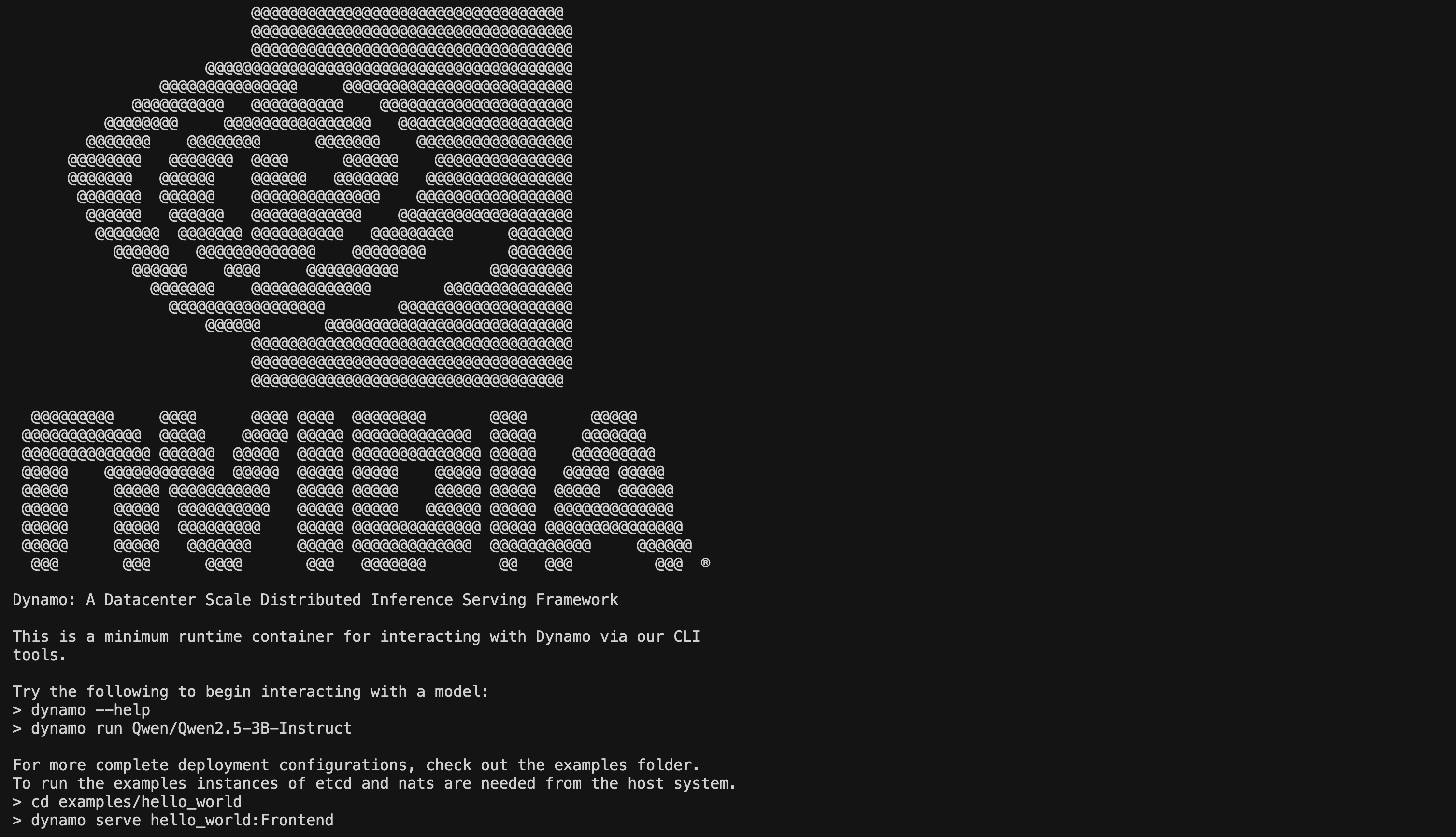
Step 8: Build Rust Components and Prepare Python Environment
🤔 Why This Step Matters
Rust Components Performance: Dynamo's core components are written in Rust for maximum performance:
- Memory Safety: Rust prevents memory leaks and buffer overflows common in C/C++
- Zero-Cost Abstractions: High-level code compiles to efficient machine code
- Concurrency: Rust's ownership model enables safe parallel processing
- Performance: Rust performance rivals C/C++ while being safer and more maintainable
Critical Binaries Built:
http: High-performance HTTP server for API endpointsllmctl: Command-line tool for managing LLM servicesdynamo-run: Main service orchestrator and runtime
Build Time Investment: The 10-15 minute build time includes:
- Dependency Compilation: Building all Rust dependencies from source
- Optimization: Release builds include aggressive optimizations for performance
- Cross-Platform Compatibility: Ensures binaries work with your specific GPU architecture
Python Environment Setup: Installing Dynamo in editable mode (-e .) enables:
- Development Workflow: Changes to Python code take effect immediately
- Custom Modifications: Ability to modify and test Dynamo's Python components
- PYTHONPATH Configuration: Ensures all modules can find each other correctly
Why This Step is Critical: Without properly built Rust components, Dynamo cannot start or will have severely degraded performance.
# Build Rust components
cargo build --release

# Wait 10-15 minutes for build completion

mkdir -p /workspace/deploy/dynamo/sdk/src/dynamo/sdk/cli/bin
cp /workspace/target/release/http /workspace/deploy/dynamo/sdk/src/dynamo/sdk/cli/bin
cp /workspace/target/release/llmctl /workspace/deploy/dynamo/sdk/src/dynamo/sdk/cli/bin
cp /workspace/target/release/dynamo-run /workspace/deploy/dynamo/sdk/src/dynamo/sdk/cli/bin

# Install Python packages
uv pip install -e .
export PYTHONPATH=$PYTHONPATH:/workspace/deploy/sdk/src:/workspace/components/planner/src


bash
Step 9: Start Dynamo Test Service
🤔 Why This Step Matters
Service Validation: Starting the Dynamo service validates your entire deployment:
- Configuration Verification: Ensures all configuration files are correct and compatible
- GPU Access: Confirms containers can access GPU hardware properly
- Model Loading: Tests ability to download and load the specified LLM model
- API Endpoint: Establishes the HTTP API for receiving inference requests
Aggregated Router Architecture: The agg_router configuration demonstrates:
- Request Routing: Intelligent distribution of requests across available workers
- Load Balancing: Automatic scaling based on request volume and GPU availability
- KV Cache Management: Efficient memory usage through intelligent caching strategies
- Performance Optimization: Disaggregated serving for maximum throughput
Model Download Process: The DeepSeek-R1-Distill-Llama-8B model:
- Size: Approximately 8GB download, requiring stable internet connection
- Caching: Model is cached locally for subsequent runs
- Rate Limiting: Hugging Face may rate-limit downloads (hence the 429 error handling)
Service Health Indicators: A successful start shows:
- Port Binding: Service listening on port 8000
- Model Loading: Successful model initialization
- GPU Utilization: GPU memory allocation for model weights
- API Readiness: Ready to accept inference requests
cd examples/llm
dynamo serve graphs.agg_router:Frontend -f configs/agg_router.yaml
bash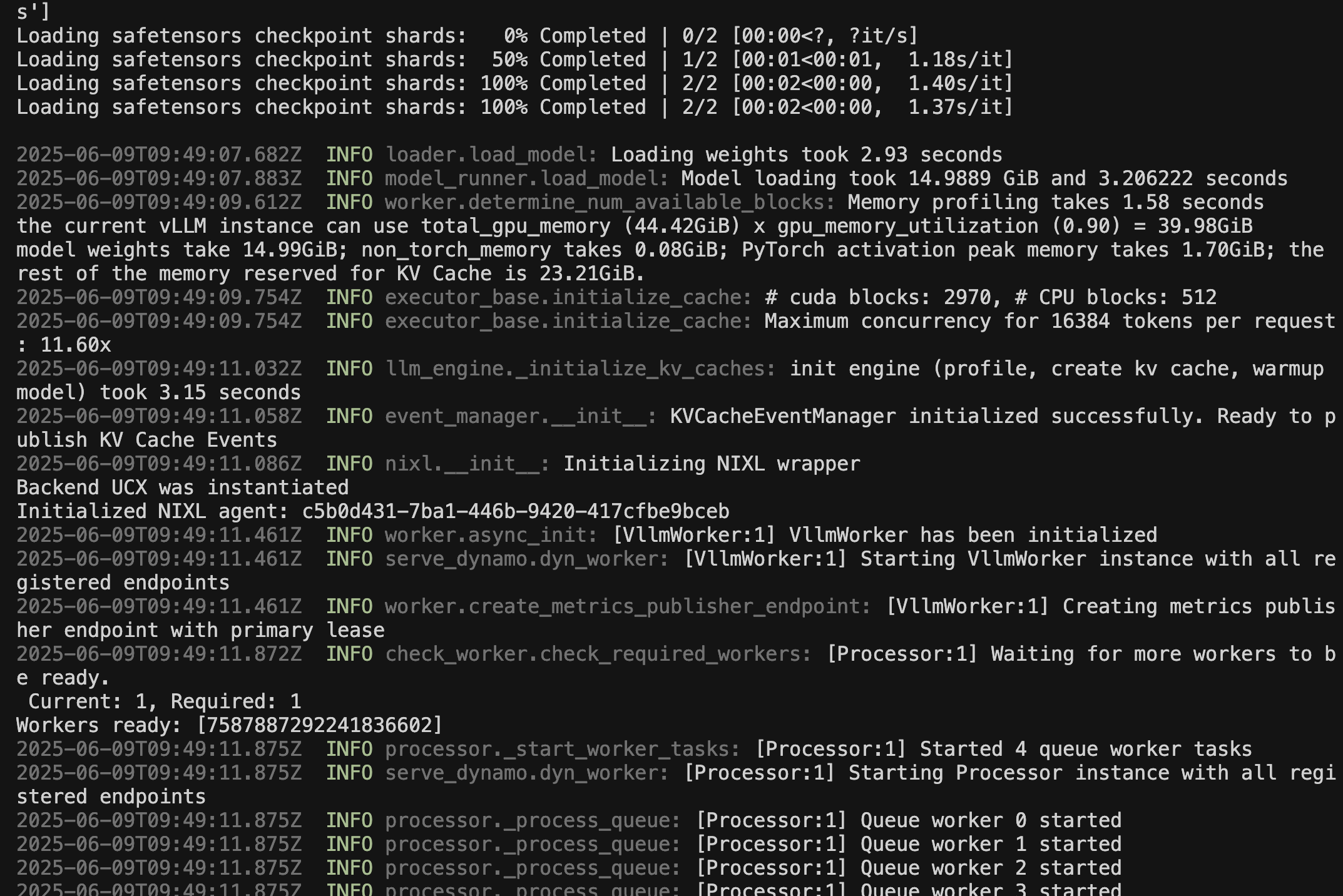
- If encountering 429 (Too many requests) during model download, please wait five minutes and retry.
Step 10: Send Test Request
🤔 Why This Step Matters
End-to-End Validation: This final test confirms your entire deployment works correctly:
- API Functionality: Verifies the HTTP API accepts and processes requests
- Model Inference: Confirms the LLM can generate coherent responses
- GPU Utilization: Validates GPU is being used for inference computations
- Response Quality: Ensures the model produces expected output format
Request Structure Analysis:
- OpenAI Compatibility: Uses OpenAI-compatible API format for easy integration
- Model Specification: Explicitly specifies the loaded model
- Message Format: Standard chat completion format with user/assistant roles
- Parameters:
max_tokenslimits response length,stream: falsegets complete response
Performance Indicators: A successful response demonstrates:
- Latency: Time from request to response (typically 2-5 seconds for first request)
- Throughput: System's ability to process requests
- Quality: Coherent, relevant response to the travel question
- Stability: Service remains responsive after processing requests
Production Readiness: This test confirms your deployment is ready for:
- Application Integration: Can be integrated into web applications or services
- Load Testing: Ready for performance benchmarking and optimization
- Scaling: Foundation for multi-GPU or multi-node deployments
Troubleshooting Value: If this test fails, it helps identify issues in:
- Network Configuration: Port access and firewall settings
- Service Health: Whether Dynamo is running correctly
- Model Loading: Whether the LLM model loaded successfully
- GPU Access: Whether inference is using GPU acceleration
curl localhost:8000/v1/chat/completions \
  -H "Content-Type: application/json" \
  -d '{
    "model": "deepseek-ai/DeepSeek-R1-Distill-Llama-8B",
    "messages": [
      {"role": "user", "content": "How to travel from Munich to Berlin?"}
    ],
    "stream": false,
    "max_tokens": 300
  }' | jq
bash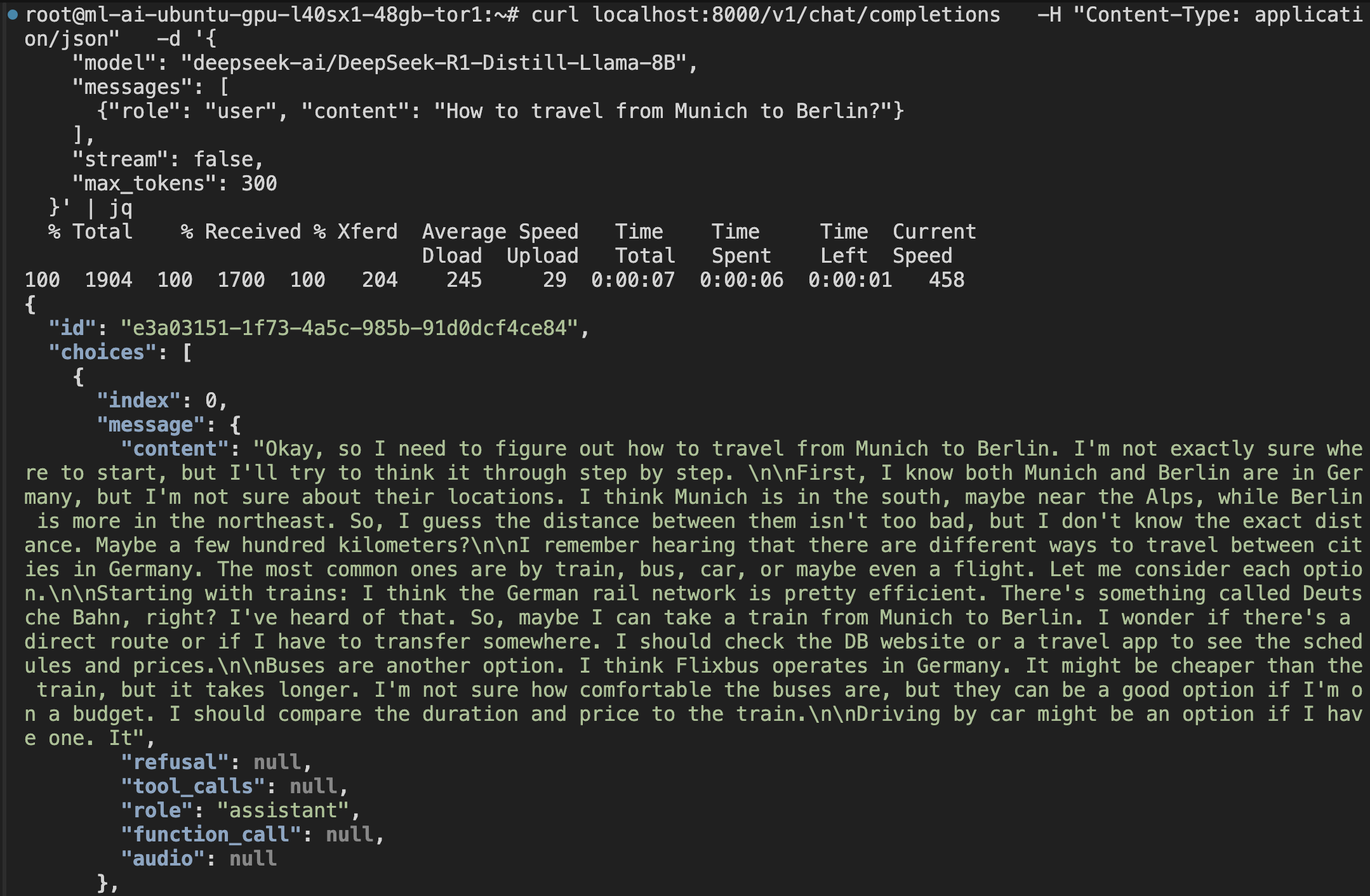
🎉 Congratulations! You've successfully deployed NVIDIA Dynamo and received your first LLM response. Your high-performance inference service is now running on DigitalOcean GPU Droplets!
DigitalOcean Practical Supplements
- Open port 8000 (or your configured API port) in Droplet firewall
- Recommend regularly checking disk space and GPU status
- For container startup, permission, port issues, refer to the "Common Issues and Troubleshooting" section of this tutorial
Common Issues and Troubleshooting
When deploying NVIDIA Dynamo to DigitalOcean GPU Droplets, you may encounter the following common issues to help you quickly locate and resolve problems.
| Issue Type | Symptoms/Error Messages | Solution Suggestions |
|---|---|---|
| NVIDIA Driver/CUDA Issues | nvidia-smi cannot display GPU, or CUDA version mismatch | Recommend using DigitalOcean default drivers, upgrade not recommended unless specifically needed. If upgrading, refer to official tutorials and restart Droplet. |
| Docker/nvidia-docker Issues | docker: Error response from daemon: could not select device driver | Confirm nvidia-docker2 is installed, test with docker run --gpus all nvidia/cuda:12.3.0-base-ubuntu22.04 nvidia-smi. |
| Dynamo Installation/Startup Errors | ModuleNotFoundError, ImportError, dynamo: command not found | Confirm ai-dynamo[all] is installed in venv, and checked out to v0.3.0 tag. |
| API Connection/Port Issues | curl no response, Connection refused, port errors | Confirm port when Dynamo starts (e.g., 8000), firewall is open, and test command port matches. |
| GPU Resource Insufficient/Cannot Allocate | CUDA out of memory, No GPU found | Check Droplet GPU specifications, gpu parameter in config.yaml should not exceed physical GPU count. |
| Version/Dependency Incompatibility | No matching distribution found for ai-dynamo-runtime==X.X.X | Recommend checkout v0.3.0 tag, ensure pip/venv is clean. |
Conclusion
You have learned how to deploy and validate NVIDIA Dynamo on DigitalOcean GPU Droplets, completing the full process of high-performance LLM inference services. This will help you quickly build scalable AI applications, and you can expand to multi-node, frontend integration, and other advanced applications as needed.
Next Step
Now that you have successfully deployed NVIDIA Dynamo on a single GPU Droplet, the next essential step is to understand and optimize its performance:
Performance Benchmarking & Monitoring
In our next tutorial, you'll learn how to build a comprehensive monitoring dashboard and conduct systematic performance testing to optimize your NVIDIA Dynamo deployment. This includes understanding key metrics, identifying bottlenecks, and making data-driven scaling decisions.
Stay tuned for the upcoming guide on "Building Performance Monitoring Dashboards for NVIDIA Dynamo"!
Related Resources
- Check GPU Droplet Pricing for cost planning
- Explore DigitalOcean Community for more tutorials on Droplet management, Docker usage, or other advanced pipelines
- Refer to NVIDIA Dynamo Official Documentation for more advanced features
Happy deploying and efficient inference!